

The two fees
You choose per event whether to absorb these fees or pass them to attendees at checkout.
- Service fee — this helps fuel TixFix for all your events. It is charged per ticket.
- Payment processing fee — this helps handle credit card transaction costs. It is charged per order.
Settings → Payment & Ticket Fees.
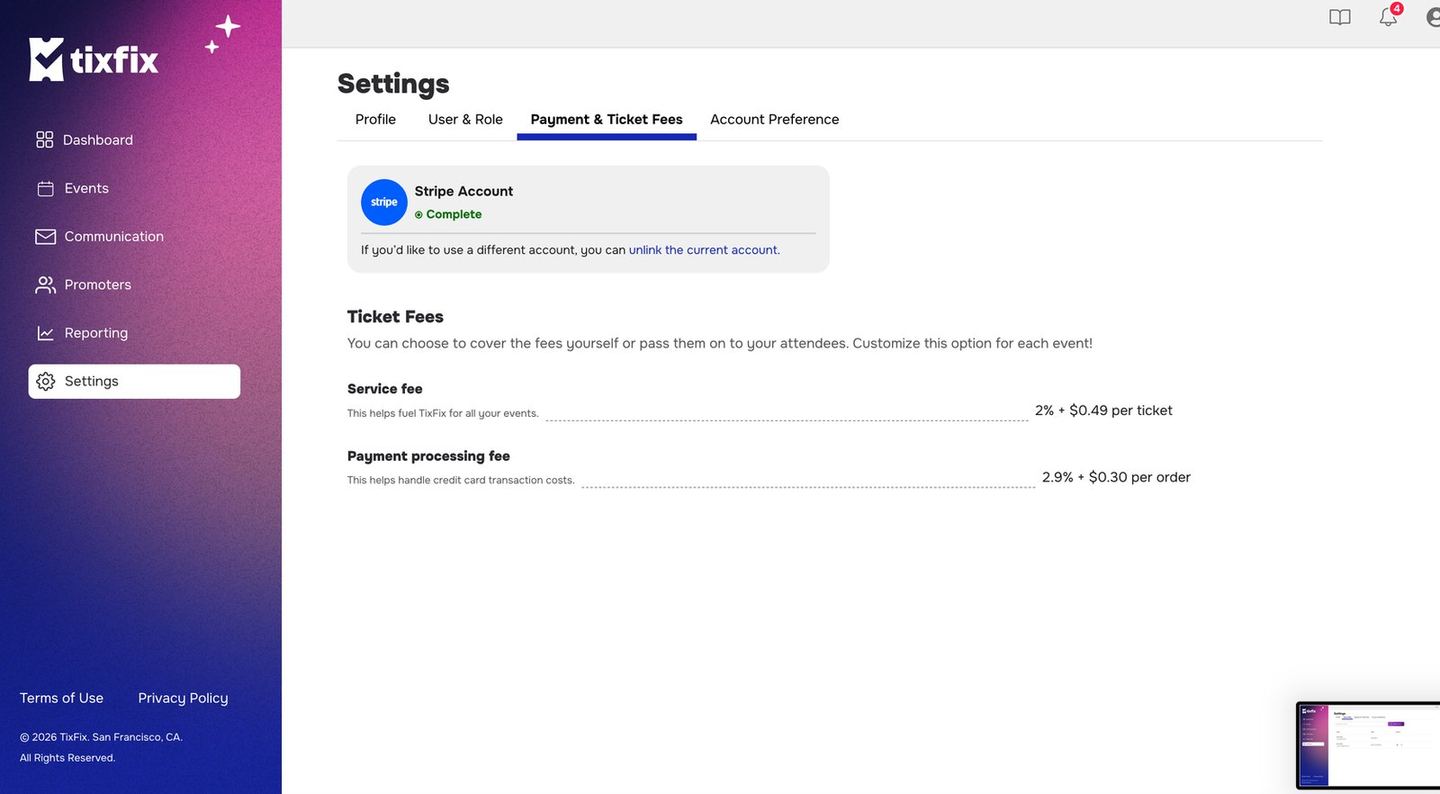
Settings → Payment & Ticket Fees, showing a connected Stripe account and both fee rates
Absorb or pass on
TixFix puts it plainly on the settings page: You can choose to cover the fees yourself or pass them on to your attendees. Customize this option for each event.
Absorbing looks better on the event page and converts more cleanly, particularly on low-priced tickets where the fee is a visible share of the total. Passing on protects your margin. Most organizers pass fees on for general admission and absorb them on premium tiers where the ticket price already carries the cost comfortably.
Worked example
AVIP ticket priced at $25, bought one at a time.
Fees on that order
- Service fee: 2% of 0.50, plus 0.99**
- Processing fee: 2.9% of 0.73, plus 1.03**
- Total fees: $2.02
- Attendee pays $25.00
- You receive $22.98
- Attendee pays $27.02
- You receive $25.00
Figures are rounded to the cent and are illustrative. Your actual settlement comes from Stripe and is what appears in your payout.
Add your own service fee
Beyond the two fees above, you can set a service fee of your own on a paid event. The control sits at the top of the event wizard’s Tickets step:Custom Service Fee — Set your service fee (%) for ticket sales. Excludes the 2% platform fee added automatically at checkout.Click
Add Custom Service Fee to set one. It is charged on top of the ticket
price and is yours, not TixFix’s — organizers use it to recover venue or
production costs without raising the headline price.
Fees on free events
A free event has no ticket price, so neither fee applies. Free registration costs you nothing.Where fees show up afterwards
Your dashboard reports Net Sales — after fees. The Promoters dashboard reports Gross revenue labelledPre-fees. When the two numbers disagree, this is why.
See Sales reports.