

Start here
Quickstart
Go from a blank form to a live, sellable event in about ten minutes.
Create an event
The full walkthrough of both steps of the event wizard.
Connect Stripe
Required before you can sell paid tickets or receive a payout.
Add a scanner
Give door staff the Scanner Plus role for specific events.
Assign a promoter
Invite someone to sell tickets and earn commission.
Email attendees
Send updates, reminders, and announcements to your guests.
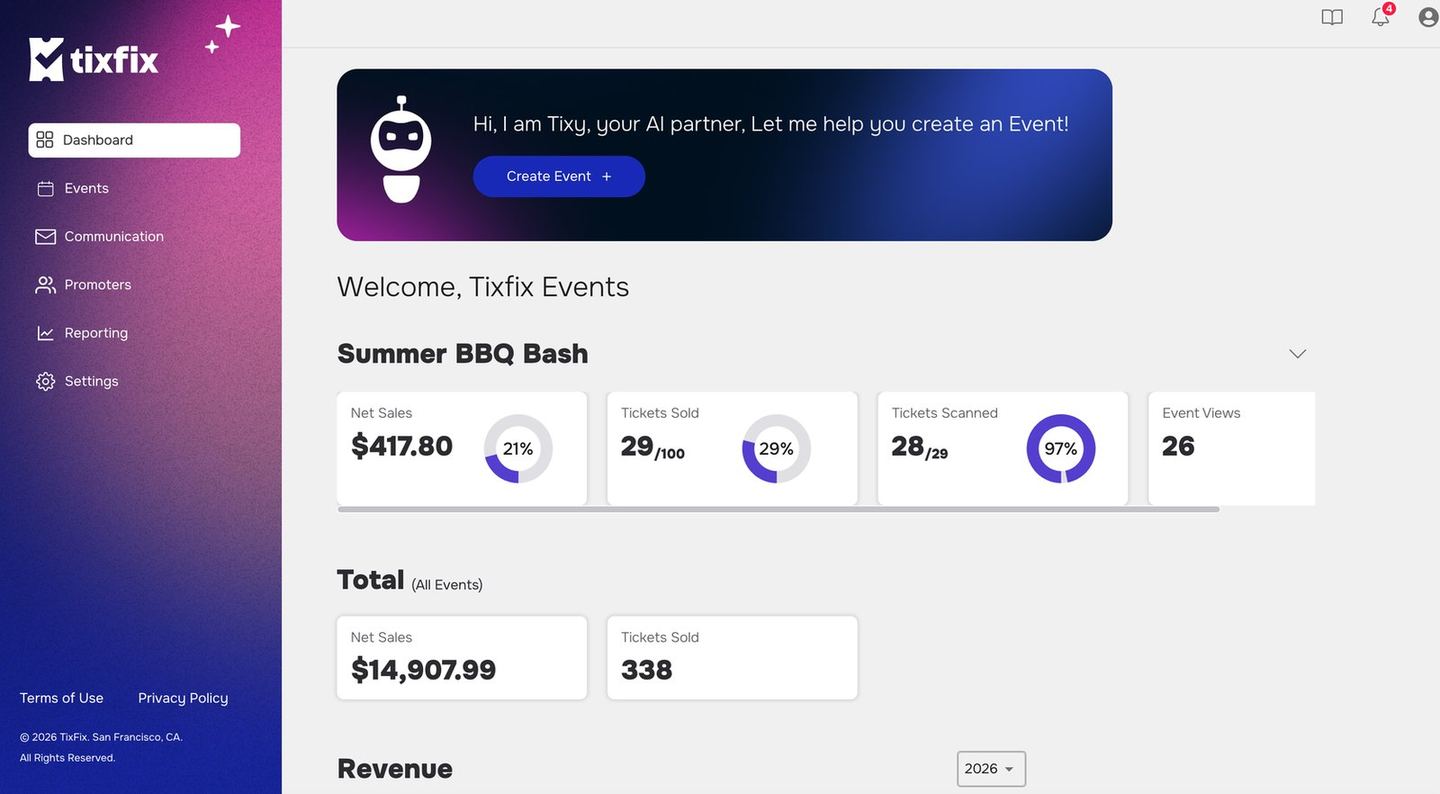
The organizer dashboard: per-event sales, tickets sold, tickets scanned and views, with totals across all events
What you can do with TixFix
- Create and publish events — title, description, dates, venue, cover image, and tags, with an AI assistant called Tixy that can draft the copy for you.
- Sell tickets — free or paid, with multiple ticket categories, individual sales windows, and promo codes.
- Collect the right information — customize the registration form and add questions that surface to your staff at check-in.
- Work with promoters — invite sellers, set commission and ticket allocation, and track sell-through.
- Check attendees in — assign Scanner Plus staff to an event and scan tickets at the door.
- Talk to your attendees — send targeted emails by ticket category, past event, or an uploaded list.
- See how you did — per-event sales reports broken down by ticket category.
Where TixFix is heading
Most event software hands you tools and leaves the work to you: write the campaign, design the poster, chase the promoters, work out the pricing, dig through the analytics afterwards. You remain the operating system. TixFix is being built the other way around. The goal is for you to describe the outcome you want and have the platform do the work — drafting your event copy, suggesting what tickets should cost, finding the audience most likely to come, telling you why sales slowed last week and what to do about it. Some of that is here today. Tixy, the assistant in the event wizard, already drafts your title and description from a plain-language brief — see Event details and venue. The rest is arriving progressively, which is why these docs will keep growing.The measure we hold ourselves to is not how many features exist, but how much work the platform takes off your plate.
How these docs are organized
Can’t find what you need? Email contact@tixfix.ai and we’ll help.