

Draft with Tixy
Tixy is the assistant in the banner at the top of the create page. Rather than writing from scratch, describe the event in theTell us about your event box and click Generate Event.
A useful prompt names the event, the venue, the date, the time range, and the tone you want — for example, a relaxed summer BBQ at a named park on a given afternoon, asking for a fun, upbeat description that highlights the food, music, and family-friendly atmosphere.
Tixy fills in the title and description. Everything it writes is editable afterwards.
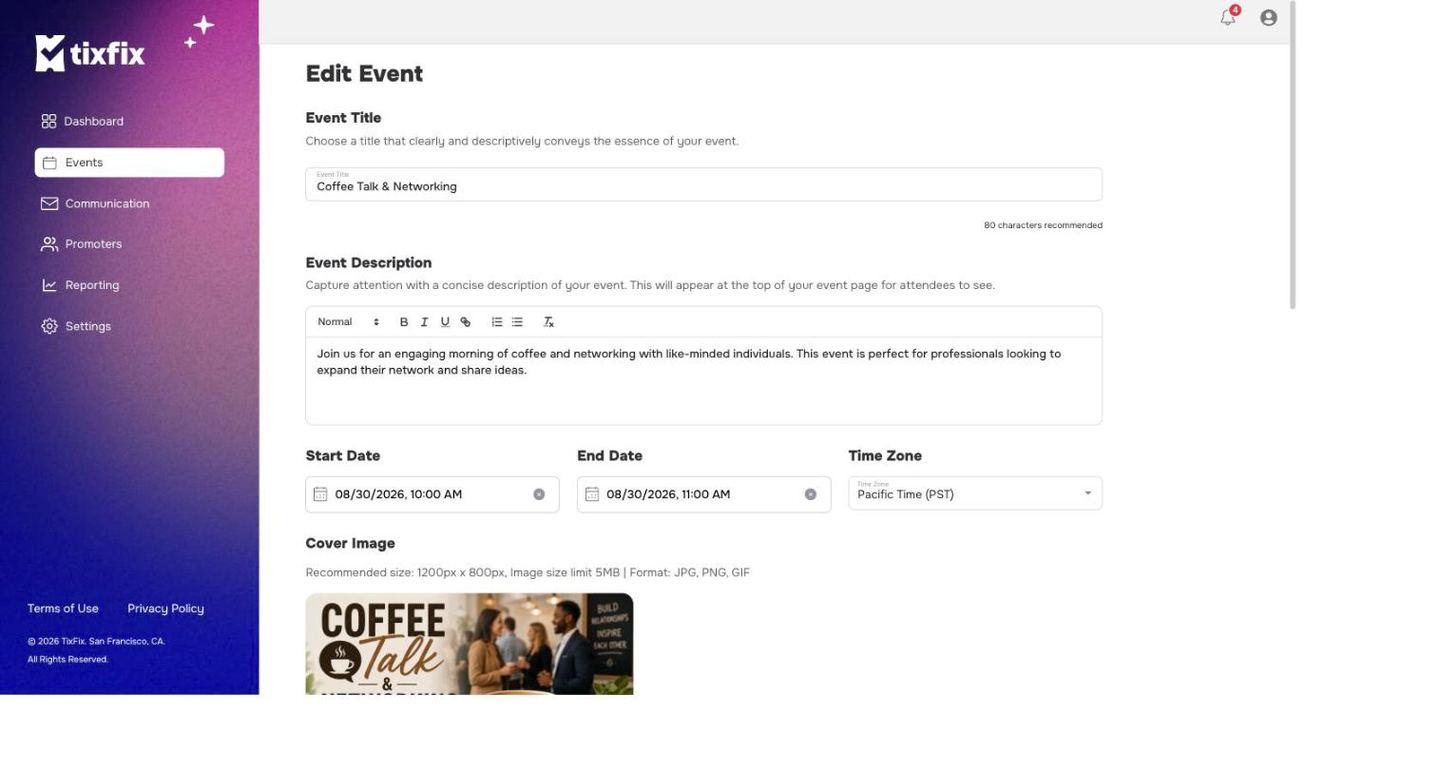
Step one of the wizard: title, description, dates and time zone, and the cover image
Event title
Choose a title that clearly and descriptively conveys the essence of your event. TixFix recommends 80 characters or fewer — a counter under the field tracks this as you type. Titles work best when they carry the what and the where, for exampleSummer Rooftop Social | Downtown Austin.
Event description
TheEvent Description is a rich text field with bold, italic, underline, link, ordered list, bullet list, and clear-formatting controls. It appears at the top of your public event page under About Event.
Dates and time zone
Three fields sit side by side:- Start Date — date and time the event begins.
- End Date — date and time it ends.
- Time Zone — for example,
Central Time (CST).
Cover image
Recommended size 1200 × 800 px, image size limit 5 MB, formats JPG, PNG, GIF.
Upload Image on the cover panel. The image is the first thing people see on your event page and on the event card in listings, so use something sharp and uncluttered — text baked into the image is often unreadable at card size.
Event type
Two dropdowns and a tag field:- Select Category — the broad type of event, for example
Business. - Event for all ages — the age restriction, for example
All Ages. - Tags — free-form keywords. Add several; they help people find the event and appear on the event card.
Venue
TheVenue block collects the location:
Once a valid address is entered, a map preview appears below the fields so you can confirm the pin is in the right place.
Saving
ClickCreate and Continue on a new event, or Update and Continue when editing an existing one. Either takes you to the tickets and registration step.