

Where to find it
1
Open the event's ticket step
From
Events, open the event’s ⋯ menu and choose Edit, then click Update and Continue to reach the Almost There! screen.2
Set up your code alongside your ticket categories
Promo codes live on the same screen as the ticket category table, so you can see which tiers a code will apply to as you create it.
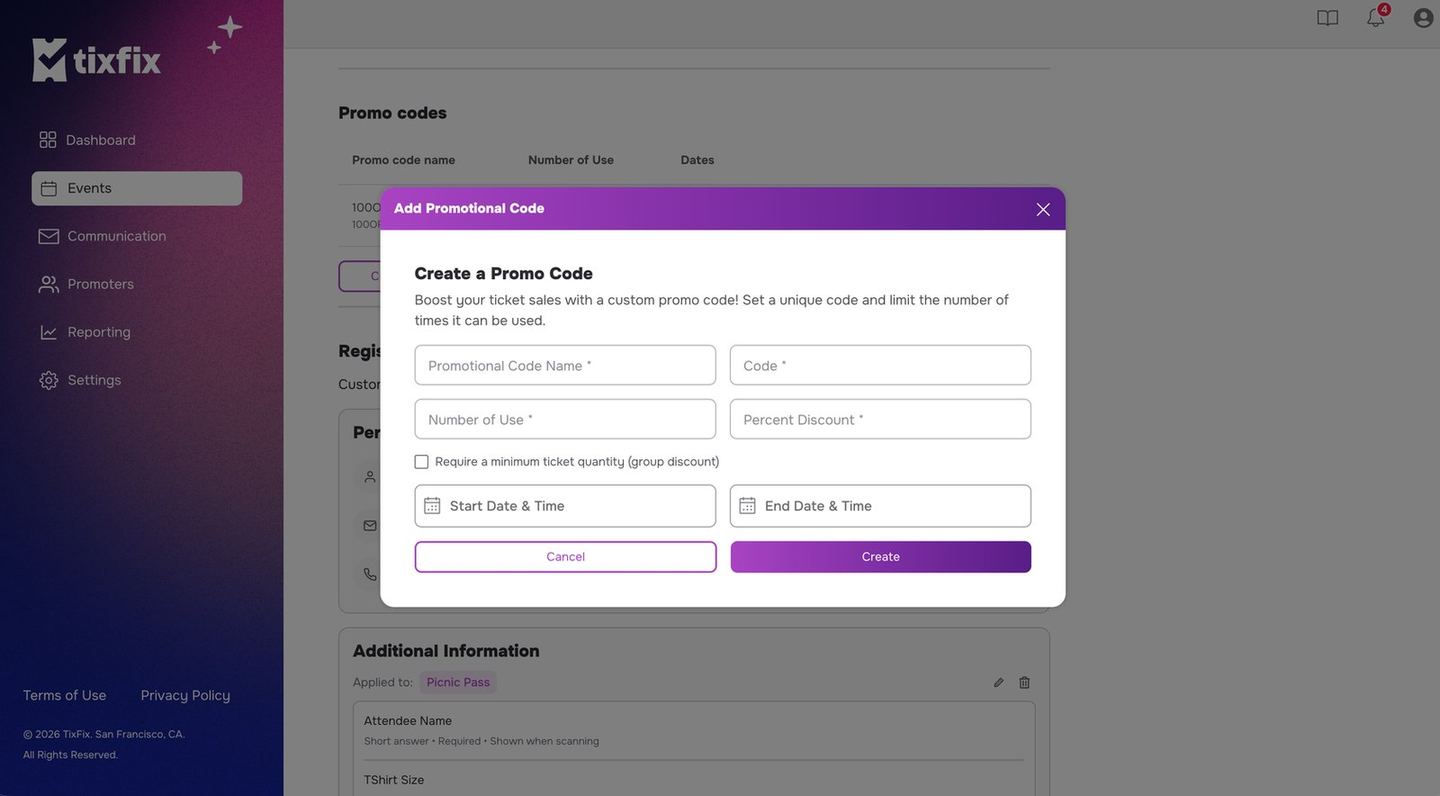
The Add Promotional Code dialog, with every field a code can carry
Create a promo code
1
Scroll to Promo codes
It sits directly beneath the ticket category table on the Almost There! step.
2
Click Create promo code
A new code opens for editing.
3
Name the code and set the discount
The listing shows the code name with its discount in brackets — for example
100OFF (100%) — and the code attendees type at checkout beneath it.4
Fill in the code details
The Add Promotional Code dialog asks for:
The listing then shows the name with its discount in brackets — for example
100OFF (100%) — with the code itself beneath.5
Decide whether it is a group discount
Require a minimum ticket quantity (group discount) turns the code into
one that only applies once a buyer reaches a certain number of tickets. Use
it to reward larger bookings rather than discounting single sales.
6
Set how many times it can be used
Number of Use caps total redemptions across all attendees.7
Set the window
Give the code a start and end date and time. Outside that window it stops working.
The promo code table
A pencil icon edits a code and a trash icon deletes it.
Good practice
- Keep codes short and unambiguous. Avoid characters that look alike, such as
0andO. - Scope the code. Where a code can be limited to specific ticket categories, limit it — an unscoped code applied to a
VIPtier can cost more than the promotion is worth. - Watch the sales window. A code is only useful while the ticket category it applies to is on sale. See Ticket types and pricing.
- Track the impact in your sales report after the promotion runs.
Sharing a code
Promo codes are usually distributed the same way you distribute the event:- In an email to a past-event audience — see Email your attendees.
- Through a promoter running a specific campaign — see How promoters work.
- On your own social channels, alongside the event link.