

Turn on donations
1
Open the event's ticket step
From
Events, open the event’s ⋯ menu, choose Edit, and click Update and Continue to reach the Almost There! screen.2
Find the Donations block
It sits below the registration form, above the publish controls.
3
Switch on Enable Donations
The description reads Allow attendees to make a donation during registration.
4
Publish or update the event
Click
Publish on a new event, or save your changes on a live one.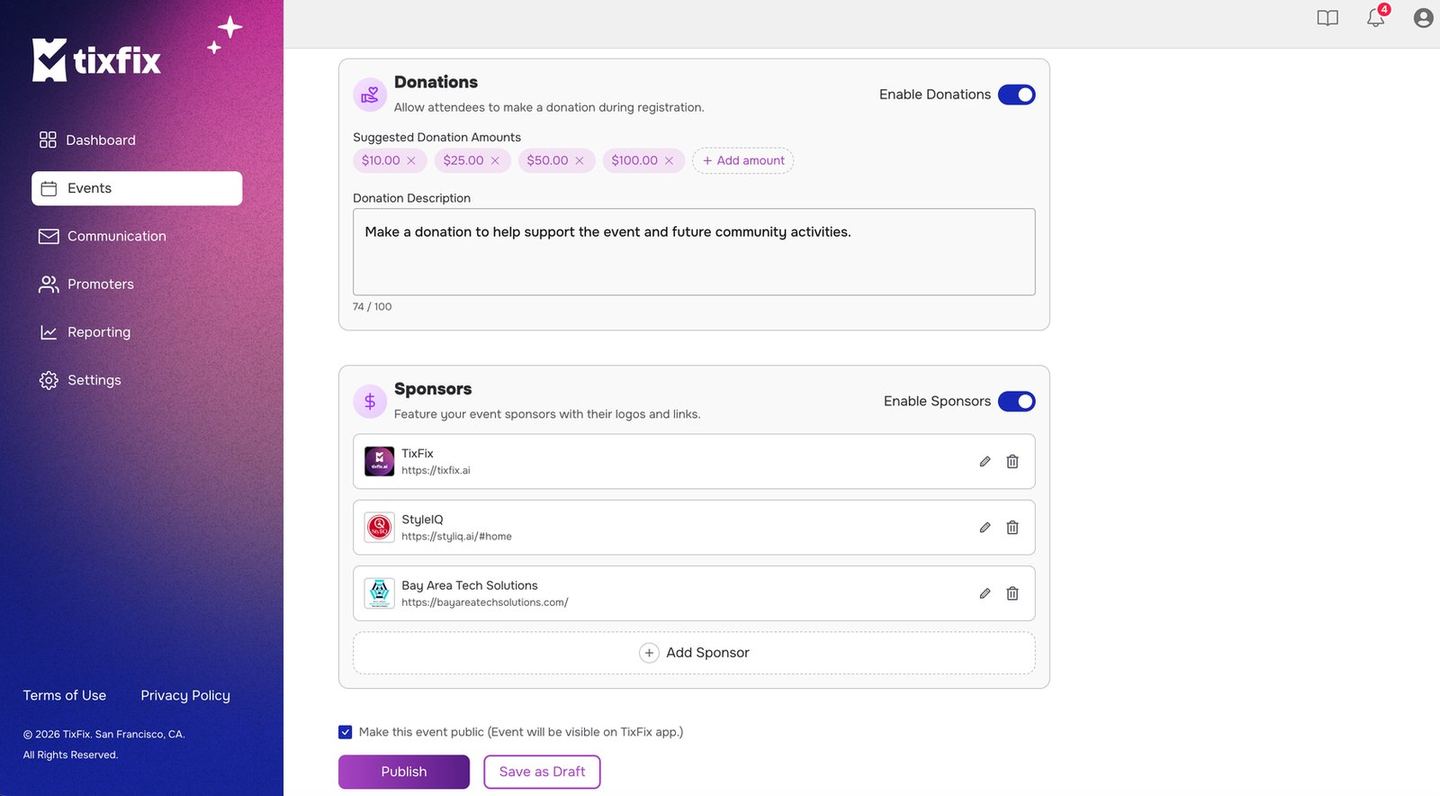
Donations with suggested amounts and a description, above the Sponsors block
Suggested amounts
With donations on, you set the amounts attendees see as one-tap options —$5.00, $10.00, $25.00 by default. Use + Add amount to add your own, or
the × on a chip to remove one.
Pitch the lowest suggestion at something anyone would agree to without thinking.
The first amount anchors the rest.
Match the amounts to the ticket, too. Against a 5 / 25reads generous but reachable. Against a $150 gala ticket, the same chips read oddly small and cap what people give —50 / 50` on a cheap ticket doesn’t raise the average, it just makes people pick nothing.
A little arithmetic shows what’s at stake. On a 200-person event, if 15% of attendees donate an average of 12 = **15 with better anchoring and the same donor count yields $450.
Donation description
A short line, up to 100 characters, telling attendees what their donation supports. Specific beats vague — keeps the door fee low for students asks better than supports our work. The description is doing the persuading, so spend the 100 characters on the concrete outcome: what a donation buys, who it helps, what it keeps running. Write it, count it, and cut it back — a line that gets truncated or crammed asks worse than a short one. Reuse the phrasing in your attendee emails so the ask is consistent everywhere people meet it.What attendees see
With donations enabled, the checkout flow offers the option to add a donation alongside the ticket selection, with your suggested amounts and description. Attendees who skip it check out normally — the ticket price is unaffected. That’s the property to protect: the donation is an invitation, not a toll. If regulars start asking whether the ticket got more expensive, your amounts or description are reading as mandatory — soften them.Where donations show up
Donation amounts flow into your event’s revenue figures. Check them in Sales reports. Remember this when reading the report and when reconciling the event: a Gross figure that beats ticket price × tickets sold isn’t an error, it’s donations. Note the donation portion separately in your own records if your organization accounts for gifts differently from ticket income.Donations are collected through the same Stripe account as your ticket sales, so they arrive on the same payout schedule. See Payouts.